Edition guidance updated 28 October 2026 for 1.2.0. Earlier instructions described 0.1.4. This remains a hypothetical staging procedure, not a claim that these tests ran on your installation.
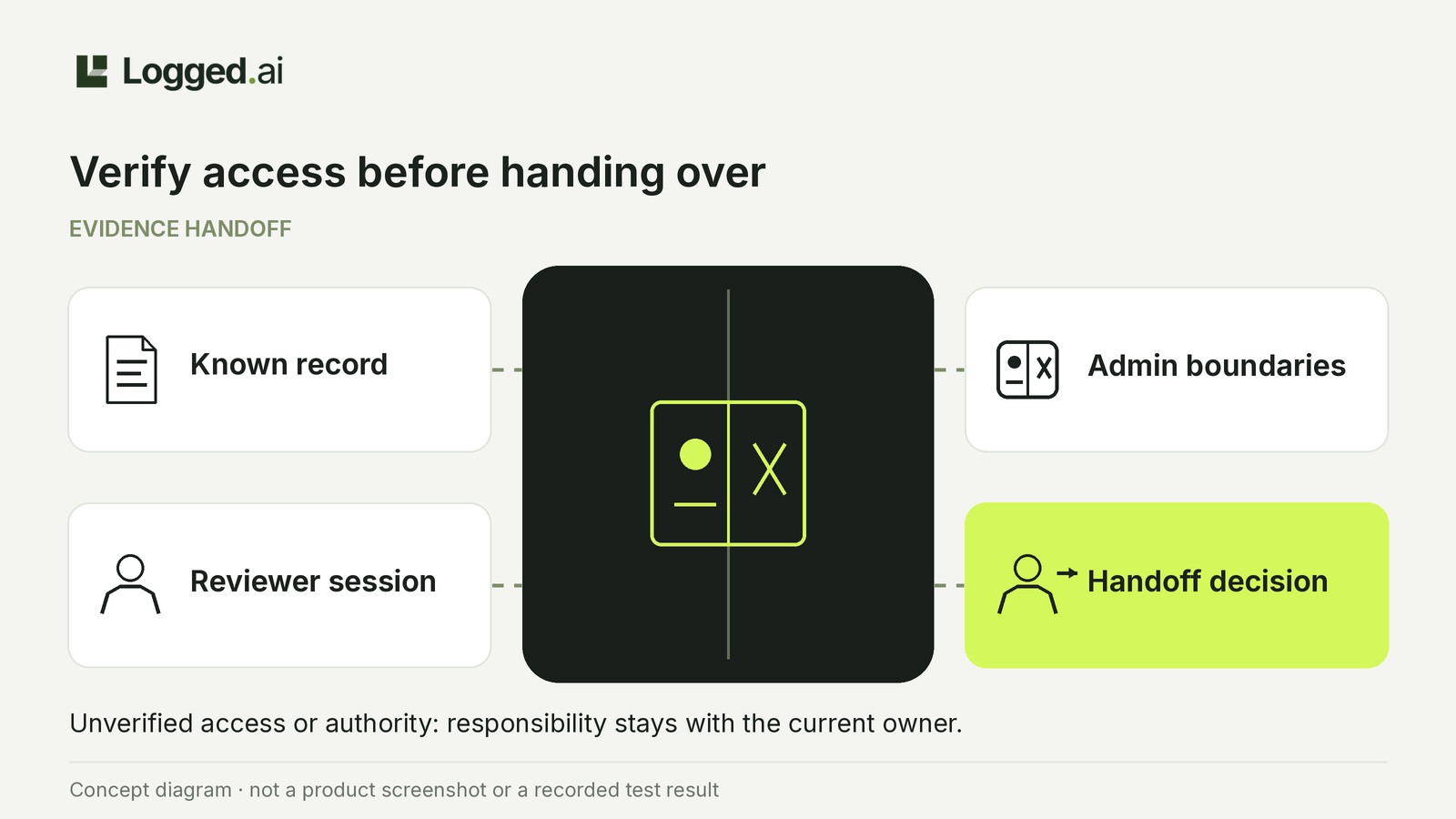
Before handing a buyer-account evidence review to a wholesale coordinator, have them open a known retained record in their own session on the WordPress site that owns the evidence. Compare their access with administrator-verified permissions. Missing required access, excessive authority or unverified boundaries mean responsibility stays with the current owner.
Logged.ai Free supports this rehearsal; Pro is not required. The result is a manual handoff record, not an automated permission audit.
Define the review boundary
Set a narrow task: inspect a supported WordPress account-change record, report the recorded actor, affected account and outcome, and flag unknowns. This does not authorize trade-account approval, wholesale pricing changes or other business decisions.
Agree on these boundaries before changing access:
- Reviewer needs: access to the owning site's event and available details required for the assignment.
- Administrator retains: settings changes, evidence exports, sensitive address context, response management and data purging.
- Escalation owner: a named person for blocked access, unclear evidence and business decisions.
Viewing events does not automatically permit those other operations; see the documented permission boundaries. Do not assume a default WordPress role fits. Logged.ai is not documented as a role editor or as providing a ready-made read-only role.
Testing one record does not limit access to that record. Assess the account's wider authority through the site's existing access-management process.
Prepare a known record on isolated staging
Use Free 1.2.0, or the matching Free/Pro pair, with independent backups. This release requires WordPress 7.0+, PHP 8.0+ and MySQL/MariaDB; SQLite and WordPress Playground are unsupported. Check the installation requirements and package notes. Keep Free active if using Pro.
Use an authorized administrator, a separate reviewer account and a dummy account without live buyer data. Confirm staging cannot change production accounts or notify real customers; the plugin does not establish that isolation.
Hypothetical rehearsal: the administrator changes the dummy account between two non-administrator WordPress roles. Note the action and time, then find and open the retained event in Logged.ai → Activity → Events.
Record the owning site and enough detail to find the event again. If the administrator cannot find it, resolve that evidence problem before testing reviewer access.
Rehearse with separate responsibilities
Coordinator: test your own access
Sign in with your reviewer account in a separate browser session. Confirm the account and site URL, then open the known event's details. On multisite, Site Admin and Network Admin workspaces have separate evidence scopes.
Try an authenticated link if that is your normal handoff; it does not grant missing permissions. Record what opens, blocked routes and messages.
If a page is unavailable, ask the administrator to check the account, site context, active Free installation, matching Pro if used, and assigned permissions. Any access change must follow the site's approval process, then be retested. Do not grant Administrator merely to open a link.
Administrator: compare evidence and authority
Compare the recipient's view with the retained details you found. Before/after values may be minimized or unavailable; missing detail is not automatically a permission problem. Display detail changes presentation, not permissions, so Expert cannot repair an access denial.
An accessible event and hidden menu items are not a complete permission check. Verify every agreed boundary. Do not run exports or response actions to probe authority, or test destructive actions against live buyer data.
Complete the restricted handoff record
Keep this manual record in your team's restricted notes; it is not a plugin form. The coordinator records observations; the administrator verifies permissions.
- Context: owning site URL, environment, software versions and review date.
- People and evidence: reviewer account, current owner, escalation owner, synthetic event reference, affected dummy account and review question.
- Viewing: required access, what opened, blocked routes and messages.
- Decision: delegated scope or retained responsibility, approver, unresolved permissions, next action, responsible owner and retest condition.
Record each permission boundary separately
Make a separate entry for wider evidence access and for each administrator-retained operation: settings changes, evidence exports, sensitive address context, response management and data purging. For every entry, record:
- Scope or operation: what was assessed.
- Intended boundary: what the reviewer should and should not be able to do.
- Confirmed authority: what the administrator has established, or unverified.
- Supporting reference: the configuration or access-management record supporting that conclusion.
If the administration process cannot establish a boundary, mark it unverified and retain the review.
Hypothetical decision: export authority is unverified
Assume the coordinator, signed in as coordinator-test, opens the synthetic record and sees the required evidence. The administrator has verified every other agreed boundary but cannot establish the reviewer's export authority.
- Export boundary: administrator only; reviewer authority unverified; supporting reference: none.
- Decision: the administrator remains the review owner.
- Next action: the administrator investigates export authority and arranges any approved correction through the existing process.
- Retest: repeat the permission assessment and recipient viewing before reconsidering delegation.
Decide whether responsibility can move
- Delegate the tested review only when required viewing works and the administrator confirms that access matches every agreed boundary. Staging results apply only to staging; separately confirm production permissions and recipient viewing before transferring live responsibility.
- Resolve missing authorized access when required viewing is blocked. The current owner retains the review until approved changes and a repeat test succeed.
- Retain the review when authority is excessive or any boundary remains unverified, even if the event opens.
Success establishes access to the tested WordPress account record, not coverage of a wholesale plugin's approval workflow. General WordPress hooks are not dedicated coverage for every membership or custom plugin; establish that coverage separately. An absent record does not prove no operation occurred; see the collection and coverage limits.
Recheck after relevant account, site, permission or plugin changes. Finish the handoff record with the decision, current owner and next verification or remediation step.