LESS REBUILDING THE SAME REPORT
Set up the review once. Reuse it next time.
Save the filters for a client, store or team review, then schedule private reports from that saved search.
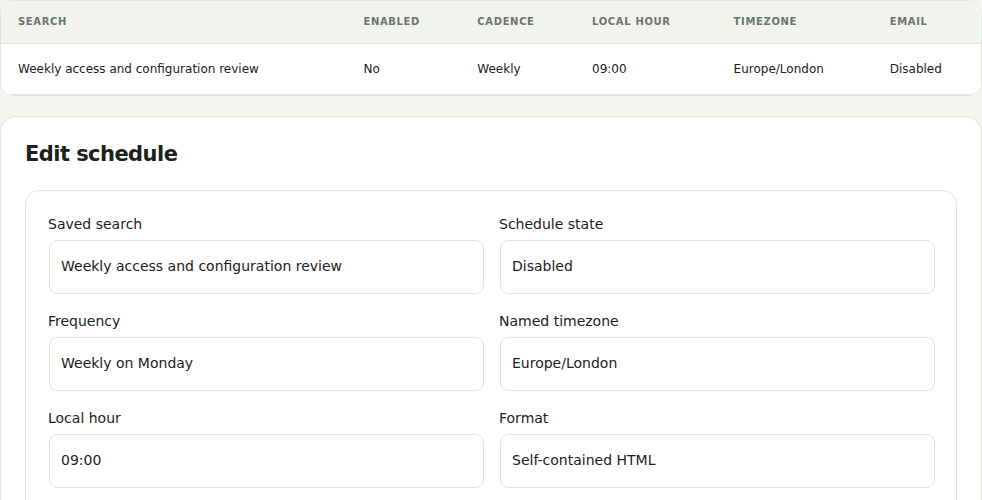 Genuine plugin screen · fictional demo data · select to enlarge
Included in FreeFilter the activity you need and export a private CSV or JSON record on demand.
Added by ProReuse saved searches and generate private reports on a configured schedule, with optional report-ready notices.
Explore the stepsRead-only example · no site changes
1Save the scope+
Choose the evidence and filters that answer your recurring question.
Save that definition so the next review starts from the same scope.2Set the period+
Choose the supported period and inspect the retained evidence it contains.
A structured local summary explains the selected records and their limits.3Configure the repeat+
Choose a daily or weekly schedule and, if needed, report-ready email notices. This example creates no schedule.
Background workers generate private reports. An authorized user still needs to open the report; a notice is not the report itself.SELECT THE CHANGE AND THE DESTINATION
Get selected alerts where your team works.
Configure an email, Slack or HTTPS webhook destination and choose the supported activity that should trigger an alert.
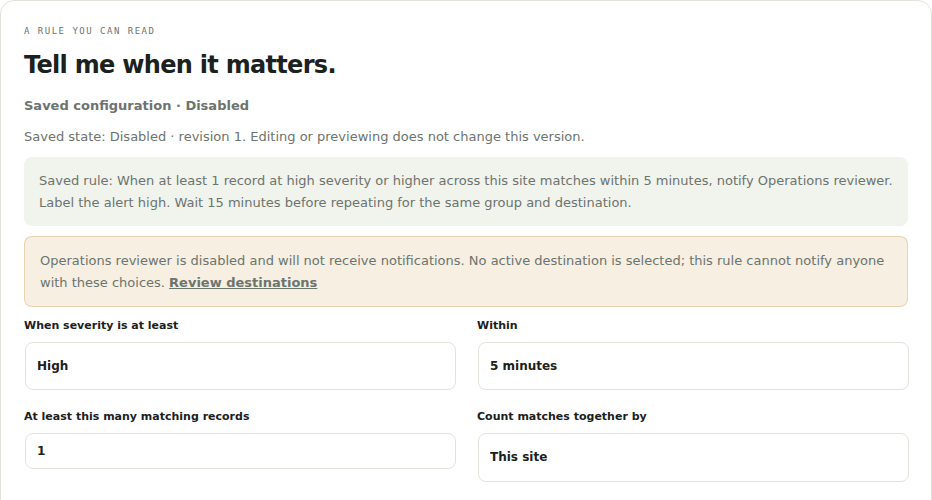 Genuine plugin screen · fictional demo data · select to enlarge
Included in FreeUse the included critical security and failure notices. Routine activity notification emails are in Pro.
Added by ProChoose configurable rules and email, Slack or webhook destinations, then review recorded delivery results.
Explore the stepsRead-only example · no site changes
1Choose the change+
Select a supported permissions-change event and review the rule conditions.
Start with a change your team needs to review; this example saves no rule.2Choose the destination+
Select an email recipient, Slack incoming webhook or HTTPS webhook you control.
Review the destination and its privacy terms before enabling it. This example makes no connection.3Verify the result+
After setup, check the recorded delivery result and confirm receipt with the intended recipient.
A destination accepting a message does not prove a person received or read it. Background processing must be available.KEEP THE REVIEW TOGETHER
Pick up the review where you left it.
Keep related evidence, your notes and decisions in one case. Return to it yourself or let an authorized teammate continue.
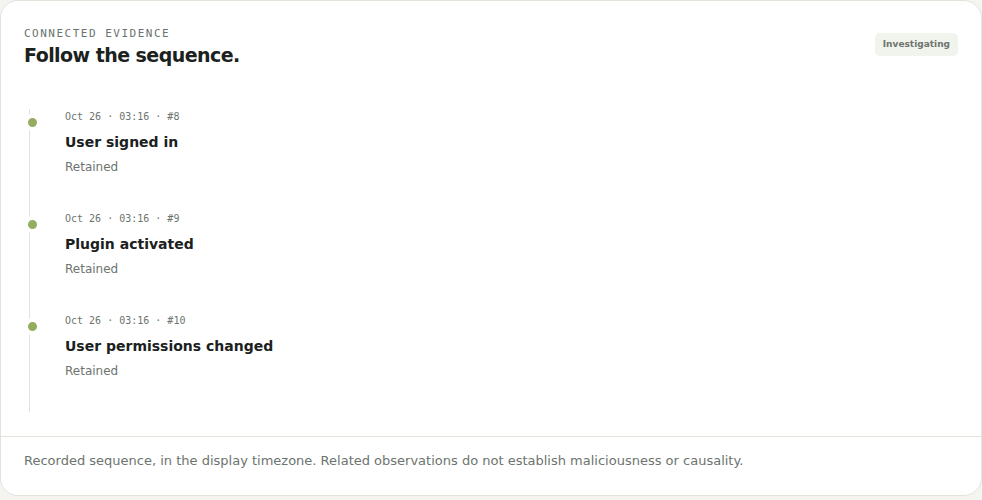 Genuine plugin screen · fictional demo data · select to enlarge
Included in FreeFind and inspect individual records, including the actor, result and captured differences.
Added by ProReview supported associations in one case, add notes, assign the review and retain its decision history.
Explore the stepsRead-only example · no site changes
1Plugin updated+
A component update starts the review. Compare the recorded result with your planned maintenance.
A case keeps this record beside the related observations.2Settings changed+
A later configuration change adds context. Its sequence alone does not establish a cause.
Keep the source fact separate from your interpretation.3Permissions changed+
Review the captured role difference and whether the access change was intended.
Record a decision against the case and return to its history.Also included: review priorities
Inspect an experimental local ranking, its contribution breakdown and evaluation coverage. This experimental ranking helps choose a review order. It is not an attack probability or a verdict.